
The User Dashboard is the central hub that provides a quick overview of your business performance, earnings, and network activity. It displays key details like wallet balance, commissions, team growth, and rankings in one place. This helps you easily track progress, manage operations, and make informed decisions.
The User Dashboard includes;
Top Title Cards

E-Wallet
- Represents the current available balance in the user’s digital wallet.
- This balance can be used for purchases, transfers, or withdrawals within the system.
Commission
- Displays the total commission earned by the user.
- Includes earnings from various sources like referrals, sales, and bonuses.
- Also shows percentage growth compared to the previous period.
Total Credit
- Indicates the total amount credited to the account.
- Includes all incoming transactions such as commissions, bonuses, and rewards.
Total Debit
- Shows the total amount deducted from the account.
- Includes withdrawals, purchases, or any system charges.
2. Joinings (Graph Section)
This section visualizes user growth over time.
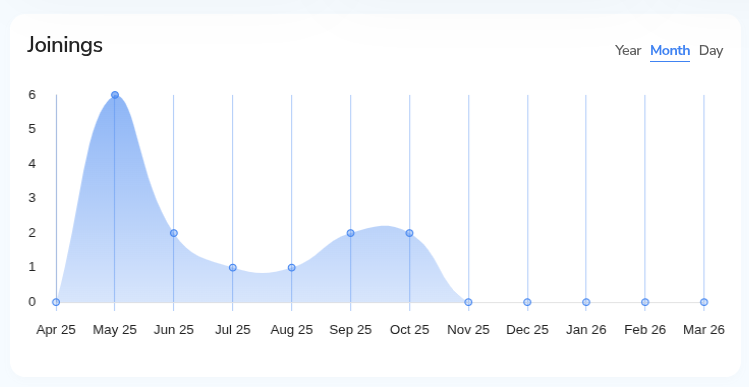
Monthly/Yearly/Daily Toggle
- Allows switching between different time views (Day, Month, Year).
- Helps analyze recruitment trends at different intervals.
Joinings Graph
- Displays the number of new members added over time.
- Useful for tracking business growth and recruitment performance.
3. New Members
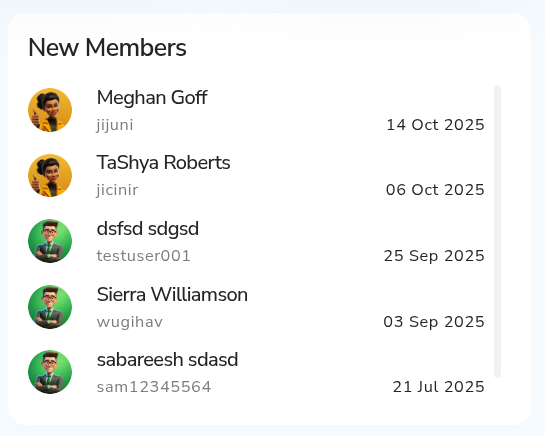
- Displays recently joined members in the network.
- If no data is available, it shows a placeholder message.
- Helps users monitor new additions to their team.
4. Profile & Membership Panel (Right Sidebar)
This section highlights the user’s account identity and status.
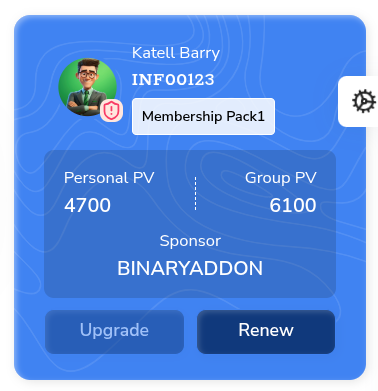
User Info (Profile Card)
- Displays username, ID, and membership package.
- Provides a quick identity overview.
Personal PV (Point Value)
- Represents the individual’s contribution or purchase volume.
- Used in commission and rank calculations.
Group PV
- Total volume generated by the entire team/network.
- Important for rank upgrades and bonuses.
Sponsor
- Shows the user’s sponsor or upline in the network hierarchy.
Upgrade Button
- Allows the user to upgrade their membership package for higher benefits.
Lead Capture / Replica
- Provides options to share referral links or landing pages.
- Includes social sharing icons (Facebook, X, LinkedIn, etc.).
- Helps in generating leads and expanding the network.
Payout Section
Tracks withdrawal and payment processing status.
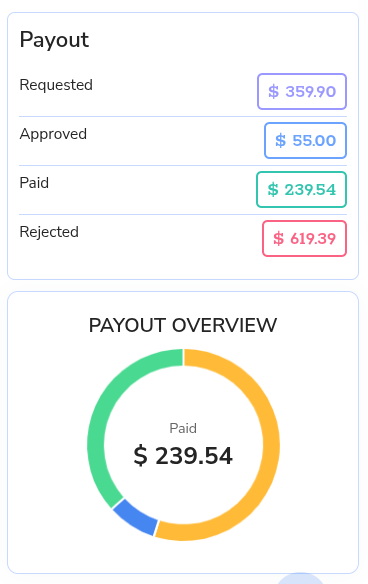
Requested
- Total amount requested for withdrawal.
Approved
- Amount approved by the admin but not yet paid.
Paid
- Amount successfully transferred to the user.
Rejected
- Withdrawal requests that were declined.
Payout Overview (Chart)
- Visual representation of payout status.
- Highlights total paid amount in a circular chart format.
- Helps users quickly understand payout distribution.
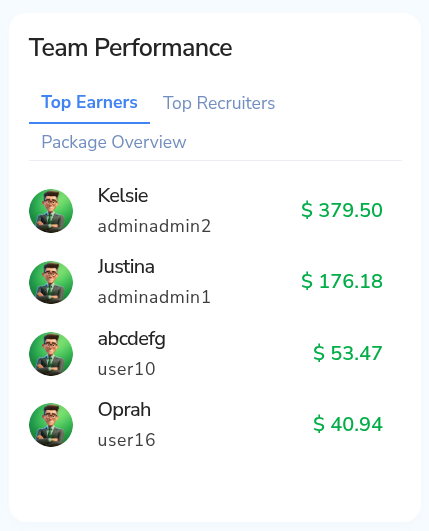
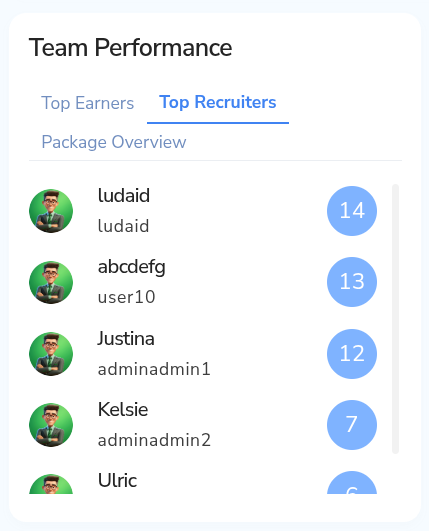
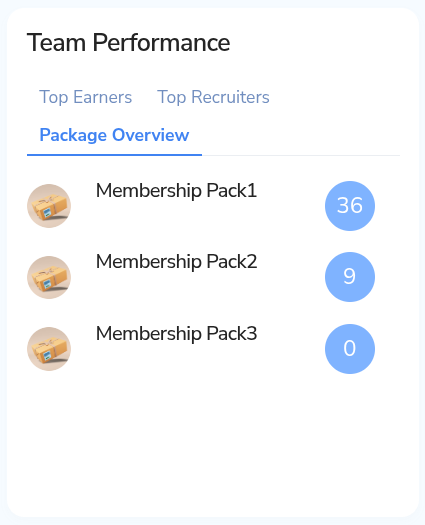
5. Team Performance
Analyzes team activity and achievements.
Top Earners
- Lists members with the highest earnings.
Top Recruiters
- Displays members who brought in the most recruits.
Package Overview
- Shows distribution of different membership packages within the team.
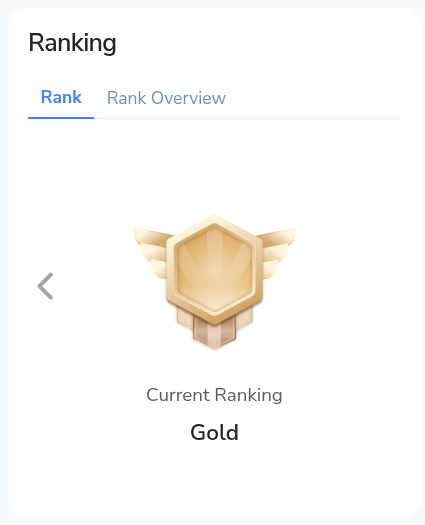
6. Ranking Section
Displays the user’s current position in the compensation plan.
Current Rank
- Shows the user’s achieved rank (e.g., Bronze).
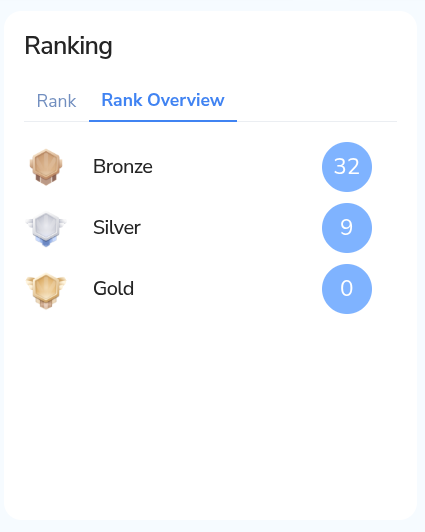
Rank Overview
- Provides insights into rank progression and requirements.
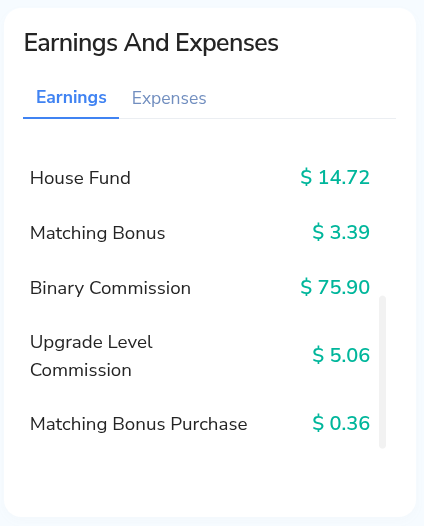
7. Earnings and Expenses
Breaks down financial activity.
Earnings
- Displays income earned from different sources.
- Example shown: Rank Bonus.
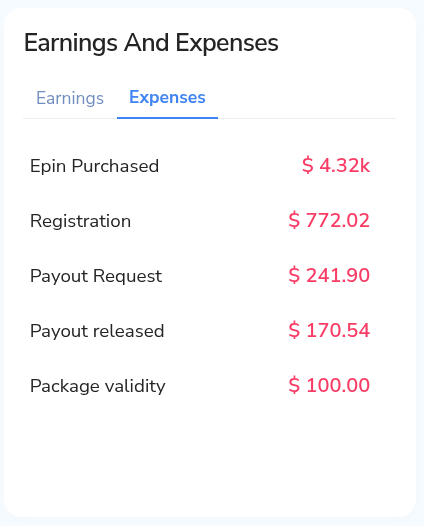
Expenses
- (Tab available) would show deductions like purchases, fees, or withdrawals.
8. Navigation Sidebar (Left Panel)
Provides access to different system modules.
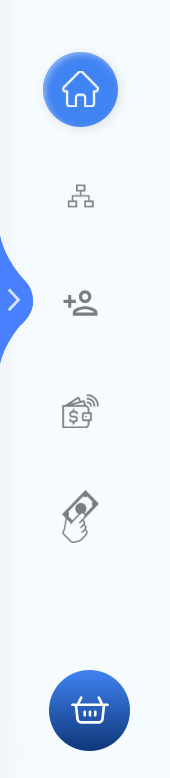
Dashboard
- Main overview page with all summaries.
Network/Genealogy
- Displays team structure and hierarchy.
Members/Users
- Manage and view user details.
Finance/Wallet
- Access transactions, earnings, and withdrawals.
Tools/Utilities
- Includes additional features like uploads, reports, etc.