Infinite MLM Software Logo
  • Prodotti
    Prodotti
    Software MLM Binario Crescita equilibrata tramite downline duali
    Software MLM Board Consente la rotazione e il rientro dei membri
    Software MLM Matrix Crescita organizzata tramite una struttura di team limitata
    Software MLM Monoline Allinea i membri in una sola linea per benefici equi
    Software MLM Unilevel Consente reclute dirette illimitate
    Software per la Vendita Diretta Semplifica le attività e le operazioni di vendita diretta
    Servizi MLM
    Migrazione MLMTrasferisci i tuoi dati a una nuova piattaforma MLM
    Integrazione di Terze PartiConnettiti con strumenti e servizi esterni
    Integrazione ShopifySincronizza il software MLM con il tuo store Shopify
    Demo dashboard preview

    Livello Enterprise · Basato su IA

    Infinite MLM Software

    Tecnologia avanzata, automazione intelligente e funzionalità smart — tutto in un’unica piattaforma.

    Prova la Demo Gratuita
  • Demo
    Demo Personalizzata
    Custom Demo preview

    La demo personalizzata del software MLM offre un’esperienza su misura per le esigenze della tua azienda.

    Prova Ora
    Demo Preimpostata
    Preset Demo preview

    La demo preimpostata offre una vista standardizzata del software con dati di esempio preconfigurati.

    Prova Ora
    1 Million Users
    Demo MLM con 1 Milione di Utenti
    • Gestisci 1 milione di utenti
    • Bonus di Matching Binario
    • Impostazioni di Limite / Cap
    • Impostazioni Spillover Binario
    Demo Admin Demo Utente
  • Piani MLM
    Piani MLM
    Piano MLM Binario Costruisce una struttura di downline a due gambe
    Piano MLM Matrix Limita la larghezza e la profondità delle downline
    Piano MLM Unilevel Consente un numero illimitato di reclute dirette al primo livello
    Piano MLM Board I membri avanzano attraverso una matrice
    Piano MLM Monoline I distributori sono inseriti in una sola linea discendente
    Piano Party MLM Si concentra sulle vendite tramite eventi sociali
    Piano MLM Generation Commissioni su più livelli
    Piano MLM Ibrido I referral diretti vengono collocati in una delle due gambe dallo sponsor
    Piano Stair Step Sistema di separazione basato sui ranghi
    Vedi tutti i piani →
    MLM Plans overview

    Confronta e Scegli

    Reclutare, Premiare, Fidelizzare: I Migliori Piani MLM per il Successo

    Confronta le strutture di compensazione e scegli il piano perfetto per la tua azienda.

    Vedi i Piani
  • Prezzi
  • Risorse
    Azienda
    Chi SiamoLa nostra missione, i nostri valori e la nostra storia
    TestimonianzeRecensioni e feedback dei clienti
    Caso d’UsoEsempi reali di utilizzo del prodotto
    Domande FrequentiDomande comuni con risposte
    Esplora
    BlogArticoli e aggiornamenti regolari
    Video TutorialGuide visive per un apprendimento facile
    DocumentazioneGuide utente e istruzioni
    Cronologia delle VersioniRegistro degli aggiornamenti del software
    CaratteristicheStrumenti e funzionalità principali
    Storie di SuccessoSuccessi dei clienti con la nostra soluzione
    Componenti Aggiuntivi MLMComponenti aggiuntivi avanzati per funzionalità estese
    Calcolatore MLMCalcoli facili delle commissioni per piano
    Contact our experts

    Siamo qui per Aiutarti

    Mettiti in Contatto con i Nostri Esperti

    Dalle demo dei prodotti alle soluzioni personalizzate, siamo al tuo fianco per il successo.

    Contattaci
Demo dal Vivo Inizia Gratis
Inizia Ora
MLM HELP

What is the Dashboard’s function in Infinite MLM?

/ Dashboard / What is the Dashboard’s function in Infinite MLM?
  • June 02, 2026
  • infinite_help
  • Dashboard

The User Dashboard is the central hub that provides a quick overview of your business performance, earnings, and network activity. It displays key details like wallet balance, commissions, team growth, and rankings in one place. This helps you easily track progress, manage operations, and make informed decisions.

The User Dashboard includes;

Top Title Cards

E-Wallet

  • Represents the current available balance in the user’s digital wallet.
  • This balance can be used for purchases, transfers, or withdrawals within the system.

Commission

  • Displays the total commission earned by the user.
  • Includes earnings from various sources like referrals, sales, and bonuses.
  • Also shows percentage growth compared to the previous period.

Total Credit

  • Indicates the total amount credited to the account.
  • Includes all incoming transactions such as commissions, bonuses, and rewards.

Total Debit

  • Shows the total amount deducted from the account.
  • Includes withdrawals, purchases, or any system charges.

2. Joinings (Graph Section)

This section visualizes user growth over time.
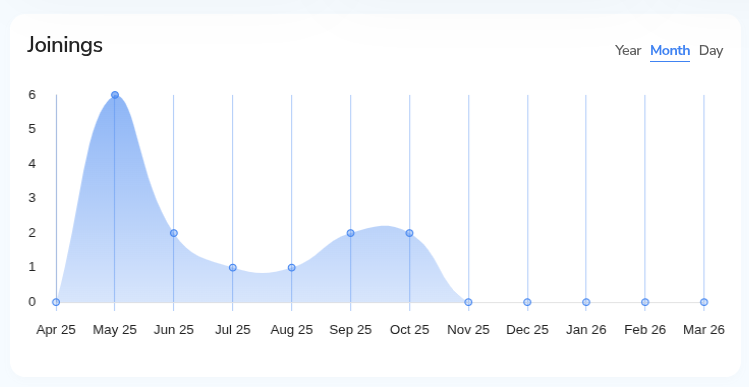
Monthly/Yearly/Daily Toggle

  • Allows switching between different time views (Day, Month, Year).
  • Helps analyze recruitment trends at different intervals.

Joinings Graph

  • Displays the number of new members added over time.
  • Useful for tracking business growth and recruitment performance.

3. New Members
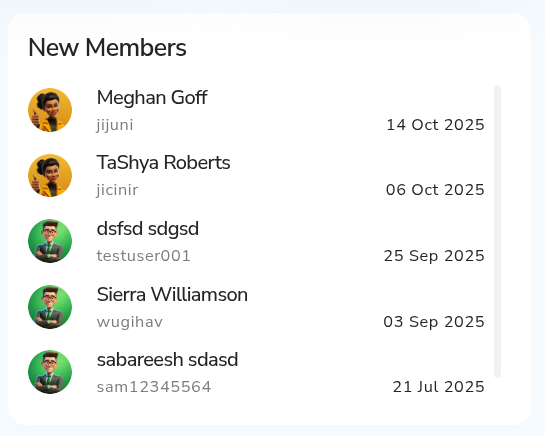
  • Displays recently joined members in the network.
  • If no data is available, it shows a placeholder message.
  • Helps users monitor new additions to their team.

4. Profile & Membership Panel (Right Sidebar)

This section highlights the user’s account identity and status.
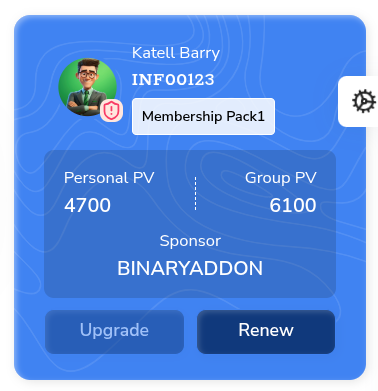
User Info (Profile Card)

  • Displays username, ID, and membership package.
  • Provides a quick identity overview.

Personal PV (Point Value)

  • Represents the individual’s contribution or purchase volume.
  • Used in commission and rank calculations.

Group PV

  • Total volume generated by the entire team/network.
  • Important for rank upgrades and bonuses.

Sponsor

  • Shows the user’s sponsor or upline in the network hierarchy.

Upgrade Button

  • Allows the user to upgrade their membership package for higher benefits.

Lead Capture / Replica
  • Provides options to share referral links or landing pages.
  • Includes social sharing icons (Facebook, X, LinkedIn, etc.).
  • Helps in generating leads and expanding the network.

Payout Section

Tracks withdrawal and payment processing status.
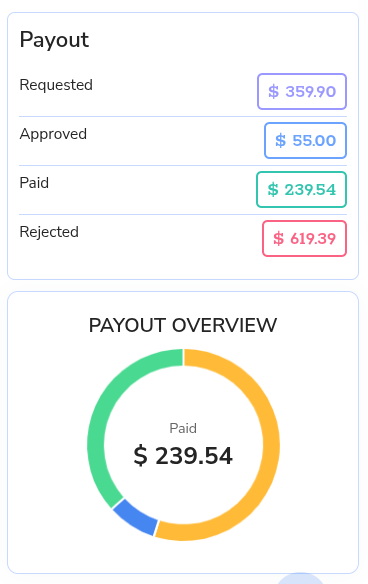
Requested

  • Total amount requested for withdrawal.

Approved

  • Amount approved by the admin but not yet paid.

Paid

  • Amount successfully transferred to the user.

Rejected

  • Withdrawal requests that were declined.

Payout Overview (Chart)

  • Visual representation of payout status.
  • Highlights total paid amount in a circular chart format.
  • Helps users quickly understand payout distribution.

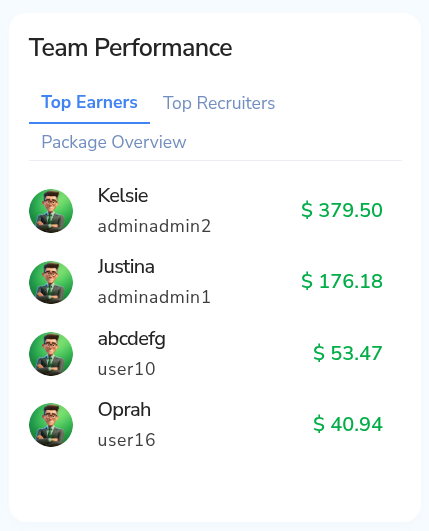
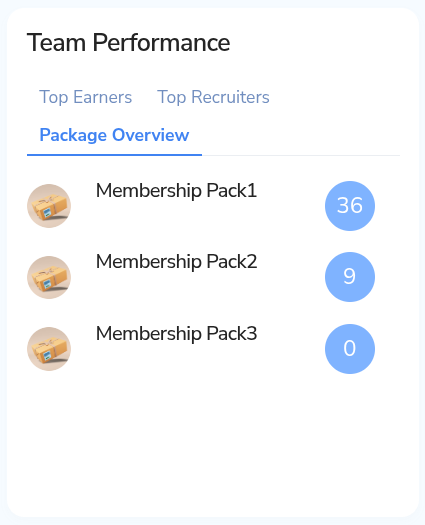
5. Team Performance

Analyzes team activity and achievements.

Top Earners

  • Lists members with the highest earnings.
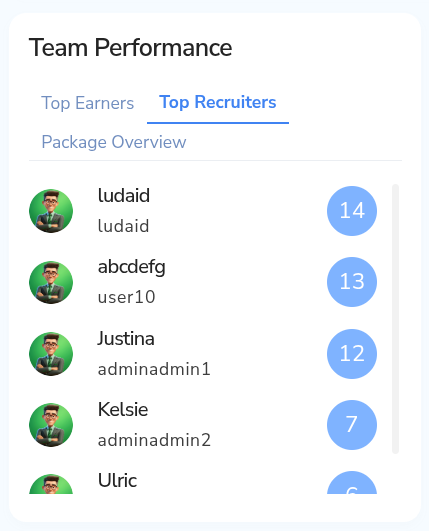
Top Recruiters

  • Displays members who brought in the most recruits.
Package Overview

  • Shows distribution of different membership packages within the team.
6. Ranking Section

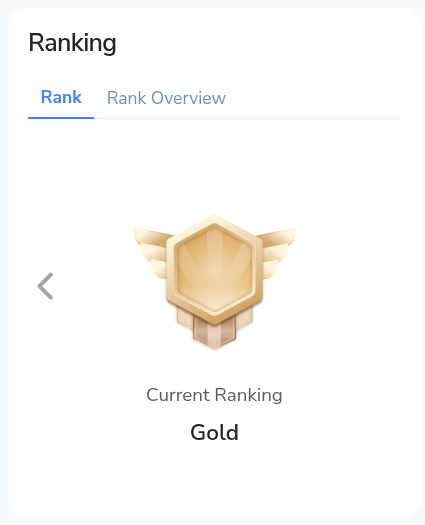
Displays the user’s current position in the compensation plan.

Current Rank

  • Shows the user’s achieved rank (e.g., Bronze).
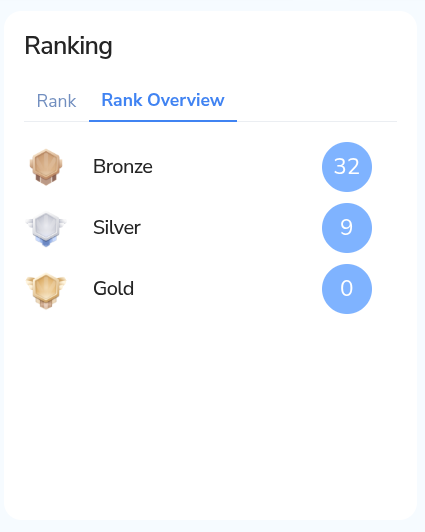
Rank Overview

  • Provides insights into rank progression and requirements.
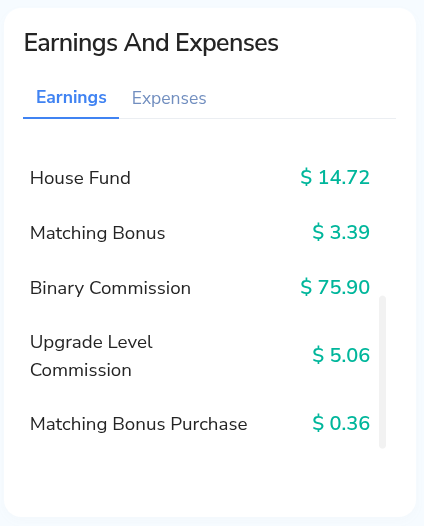
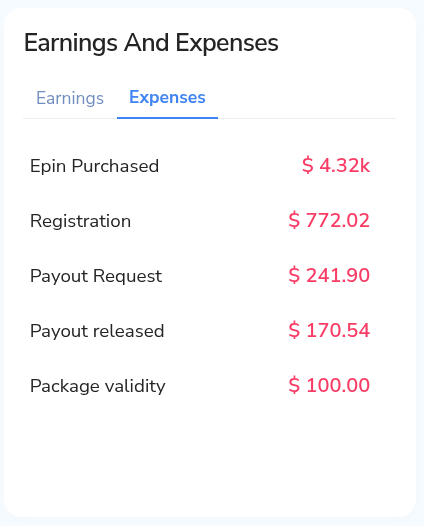
7. Earnings and Expenses

Breaks down financial activity.

Earnings

  • Displays income earned from different sources.
  • Example shown: Rank Bonus.

Expenses

  • (Tab available) would show deductions like purchases, fees, or withdrawals.
8. Navigation Sidebar (Left Panel)

Provides access to different system modules.

Dashboard

  • Main overview page with all summaries.

Network/Genealogy

  • Displays team structure and hierarchy.

Members/Users

  • Manage and view user details.

Finance/Wallet

  • Access transactions, earnings, and withdrawals.

Tools/Utilities

  • Includes additional features like uploads, reports, etc.

Related Articles

  • What is the Admin Dashboard’s function in Infinite MLM?

  • How to Login the Infinite MLM software?

  • What is the Dashboard’s function in Infinite MLM?

MLM Software Dashboard

Try Free MLM Demo

Try Now

© Copyright 2026 by Infinite Open Source Solutions LLP All Rights Reserved.

Questo sito web utilizza i cookie del browser per migliorare la tua esperienza utente e velocizzare i tempi di caricamento, ma non memorizziamo mai i tuoi dati privati. Continuando, accetti la nostra informativa sulla privacy.

Politica sui cookie