Infinite MLM Software Logo
  • Products
    Products
    Binary MLM Software Balanced growth through dual downlines
    Board MLM Software Enables member rotation and re-entry
    Matrix MLM Software Organized growth through limited team structure
    Monoline MLM Software Aligns members in one line for equal benefits
    Unilevel MLM Software Allows unlimited direct recruits
    Direct Selling Software Simplifies direct selling tasks and operations
    MLM Services
    MLM MigrationTransfer your data to a new MLM platform
    Third-Party IntegrationConnect with external tools and services
    Shopify IntegrationSyncs MLM software with your Shopify store
    Demo dashboard preview

    Enterprise Grade · AI-Powered

    Infinite MLM Software

    Advanced technology, intelligent automation and smart features — all in one platform.

    Try Free Demo
  • Demo
    Custom Demo
    Custom Demo preview

    Custom MLM Software demo provides a personalized experience tailored to your business needs.

    Try Now
    Preset Demo
    Preset Demo preview

    Preset demo offers a standardized view of the software with sample data pre-configured.

    Try Now
    1 Million Users
    MLM Demo with 1 Million Users
    • Manage 1 Million Users
    • Binary Matching Bonus
    • Ceiling / Capping Settings
    • Spillover Binary Settings
    Admin Demo User Demo
  • MLM Plans
    MLM Plans
    Binary MLM Plan Builds a two-legged downline structure
    Matrix MLM Plan Limits the width and depth of downlines
    Unilevel MLM Plan Allows unlimited direct recruits on the first level
    Board MLM Plan Members advance through a matrix
    Monoline MLM Plan Distributors are placed in one straight downline
    Party Plan MLM Focuses on sales via social events
    Generation MLM Plan Commissions through multiple levels
    Hybrid MLM Plan Direct referrals are placed in either leg by the upline
    Stair Step Plan Features a rank-based breakaway system
    View All Plans →
    MLM Plans overview

    Compare & Choose

    Recruit, Reward, Retain: The Best MLM Plans for Success

    Compare compensation structures and pick the perfect plan for your business.

    View Plans
  • Pricing
  • Resources
    Company
    About UsOur mission, values and history
    TestimonialsCustomer reviews and feedback
    Use CaseReal-world examples of product use
    FAQCommon questions with answers
    Explore
    BlogRegular articles and updates
    Video TutorialsVisual guides for easy learning
    DocumentationUser guides and instructions
    Version HistoryLog of software updates
    FeaturesMain tools and functionalities
    Client Success StoriesCustomer wins using our solution
    MLM Add-OnsAdvanced add-ons for extended functionality
    MLM CalculatorEasy plan-based commission calculations
    Contact our experts

    We're Here to Help

    Get in Touch With Our Experts

    From product demos to custom solutions, we're here to support your success.

    Contact Us
Live Demo Get Started Free
Get Started Now
MLM HELP

How to View Leads in MLM Software?

/ Tools / How to View Leads in MLM Software?
  • May 29, 2026
  • infinite_help
  • Tools

Managing leads effectively is essential for tracking potential customers and monitoring distributor engagement. The Leads section in your MLM software gives you a centralized view of all prospects and their current status.

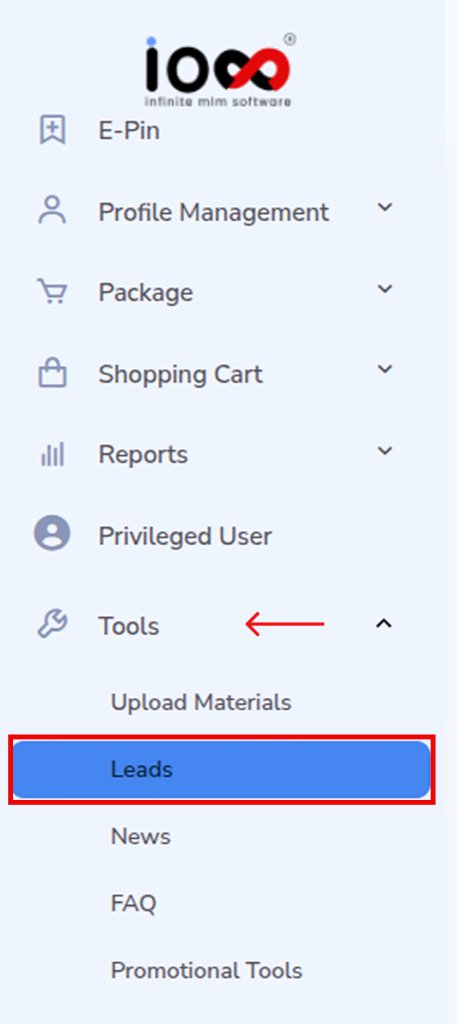
Step 1: Navigate to the Leads Section

  • Log in to your MLM software dashboard.
  • On the left-side navigation panel, locate and click on Tools.
  • From the dropdown menu, select Leads.

This will take you to the Leads management interface where all lead-related data is stored.
Step 2: Access the Leads Dashboard

  • Once the Leads page opens, you will see a structured table listing all leads.
  • This dashboard acts as your control center, allowing you to monitor, manage, and review every lead generated in the system.
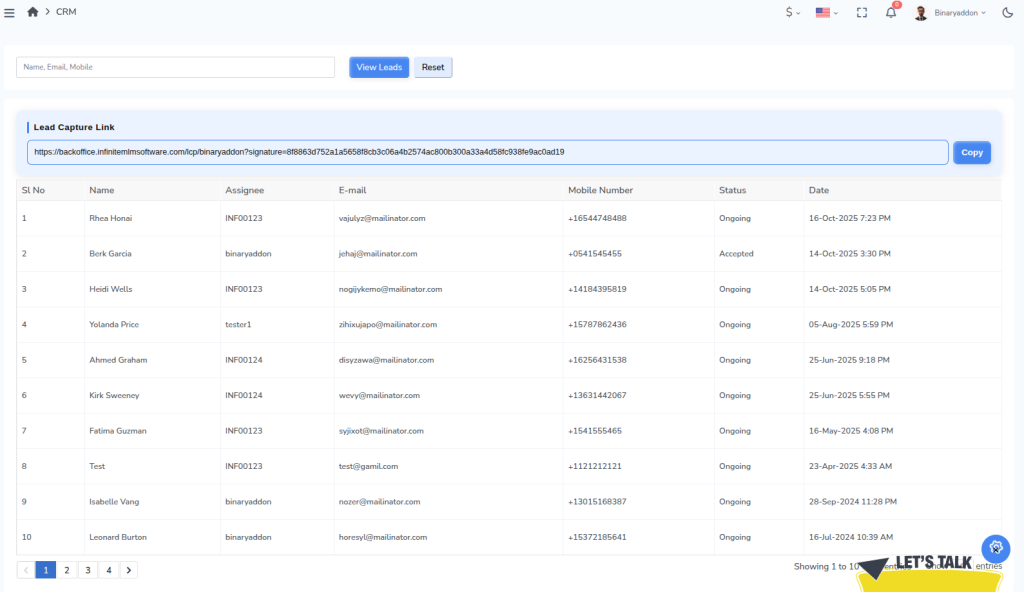
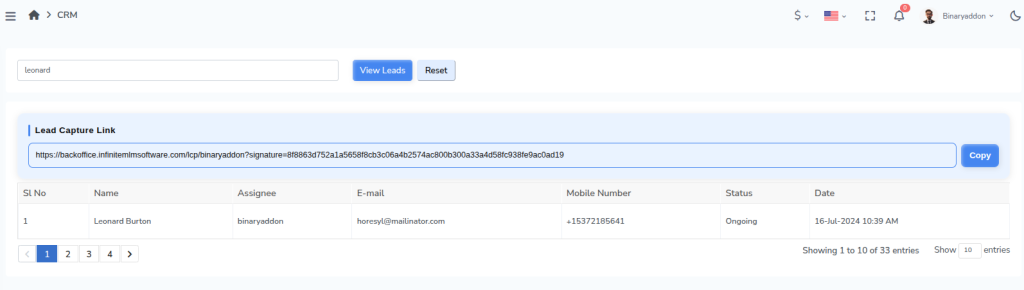
There you can view and copy Lead Capture Link, a unique URL that collects prospect details and automatically records them as leads in the MLM system under the assigned distributor.

Step 3: Understand the Lead Table

Each row in the table represents a lead, along with key details that help you track and manage follow-ups efficiently:

  • Lead Name – Identifies the prospect or potential customer.

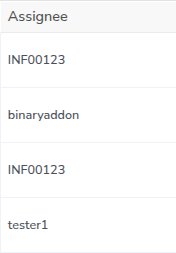
Assignee – Shows the distributor or team member responsible for handling the lead.
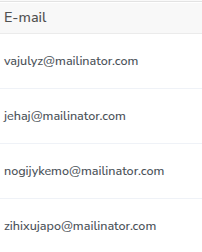
Email ID – Helps in initiating email communication and follow-ups.
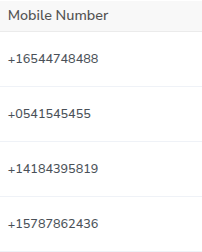
Phone Number – Useful for direct contact and conversions.
Status (Accepted / Ongoing) – Indicates the current stage of the lead in the pipeline.

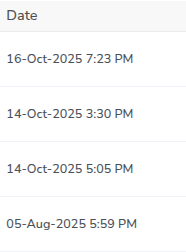
Date & Time – Displays when the lead was created or last updated, helping you track activity timelines.
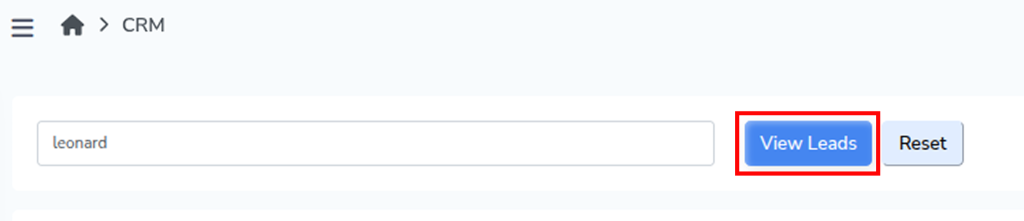
Step 4: Search for a Specific Lead

  • Use the search bar available on the Leads page.
  • Enter the name of the lead you want to locate.
  • Click on the View Leads button.

The system will filter and display the relevant lead details, allowing you to quickly access specific information without scrolling through the entire list.
Step 5: Reset the Search Results

  • After viewing a specific lead, click on the Reset button.
  • This will clear the search input and restore the complete list of leads.

Note: Regularly reviewing the Leads section helps you stay updated on lead progress, identify pending follow-ups, and improve conversion rates by acting on leads at the right time.

Related Articles

  • How to Set Social Invites in MLM Software?

  • How to Set Banner Invites in MLM Software?

  • How to Set Text Invites in MLM Software?

  • How to Add FAQs in MLM Software?

  • How to Add Autoresponders in MLM Software?

MLM Software Dashboard

Try Free MLM Demo

Try Now

© Copyright 2026 by Infinite Open Source Solutions LLP All Rights Reserved.

This website uses browser cookies to enhance your user experience and boost loading speeds but we never store any of your private data. By continuing you accept our privacy policy.

Cookie Policy